Physical Address
304 North Cardinal St.
Dorchester Center, MA 02124
Physical Address
304 North Cardinal St.
Dorchester Center, MA 02124

Find Gear. Build Dreams. Game On.
Find Gear. Build Dreams. Game On.
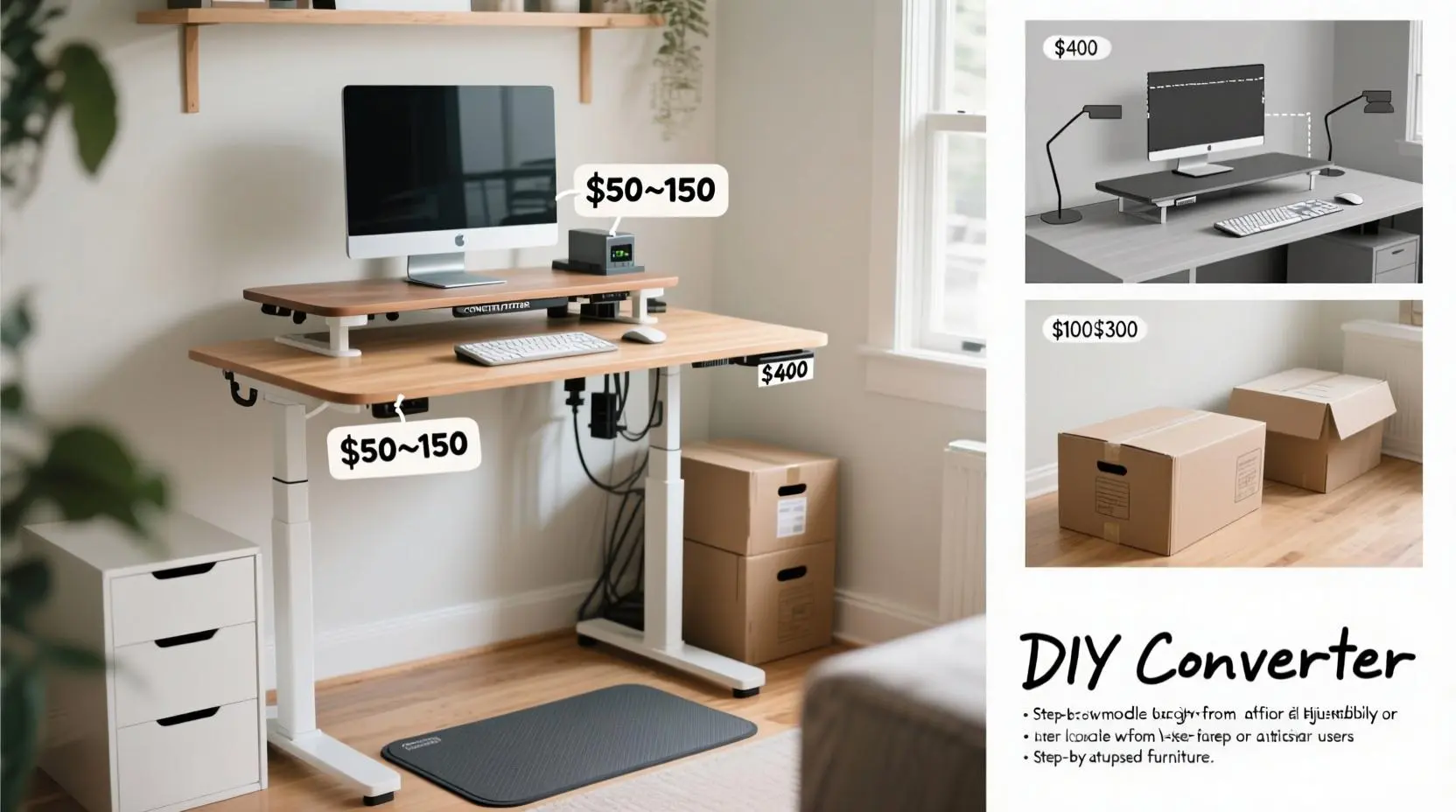
A budget sit-stand desk setup can cost as little as $50 using DIY converters or reach $500 for quality electric models. Key options include desktop risers ($50-150), converter platforms ($100-300), and full standing desks under $400. Consider your space, frequency of use, and ergonomic needs when choosing.
Setting up an ergonomic workspace doesn’t have to drain your bank account. Whether you’re working with a shoestring budget or have a few hundred dollars to invest, there’s a budget sit stand desk solution that can transform your productivity and health. From creative DIY hacks using everyday items to feature-rich electric models that won’t break the bank, this comprehensive guide covers every option to help you create the perfect sit-stand workflow.
Between my day job as a programmer and writing content for MadaraDigital, I spend way too much time at my desk. They say sitting is the new smoking, which makes investing in a standing desk solution absolutely crucial for long-term health. After testing dozens of budget options and helping countless readers optimize their setups, I’ve discovered that you don’t need to spend a fortune to get significant ergonomic benefits.
Before starting, we’ve got some other related setups articles about home office setups, take a look:
Whatever your work from home situation, here are some easy tips anyone can use to make your transition to a budget adjustable desk setup more pleasant. For more in-depth details, refer to our guides on ergonomic workstation setups and cable management organization. It’s not a surprise that a lot of people want their office setup to be functional yet affordable because expensive doesn’t always mean better.
Start with your current setup: Don’t rush to replace everything. Most people can create an effective standing workspace by simply adding a converter or DIY solution to their existing desk. This approach saves money and lets you test whether standing works for your workflow.
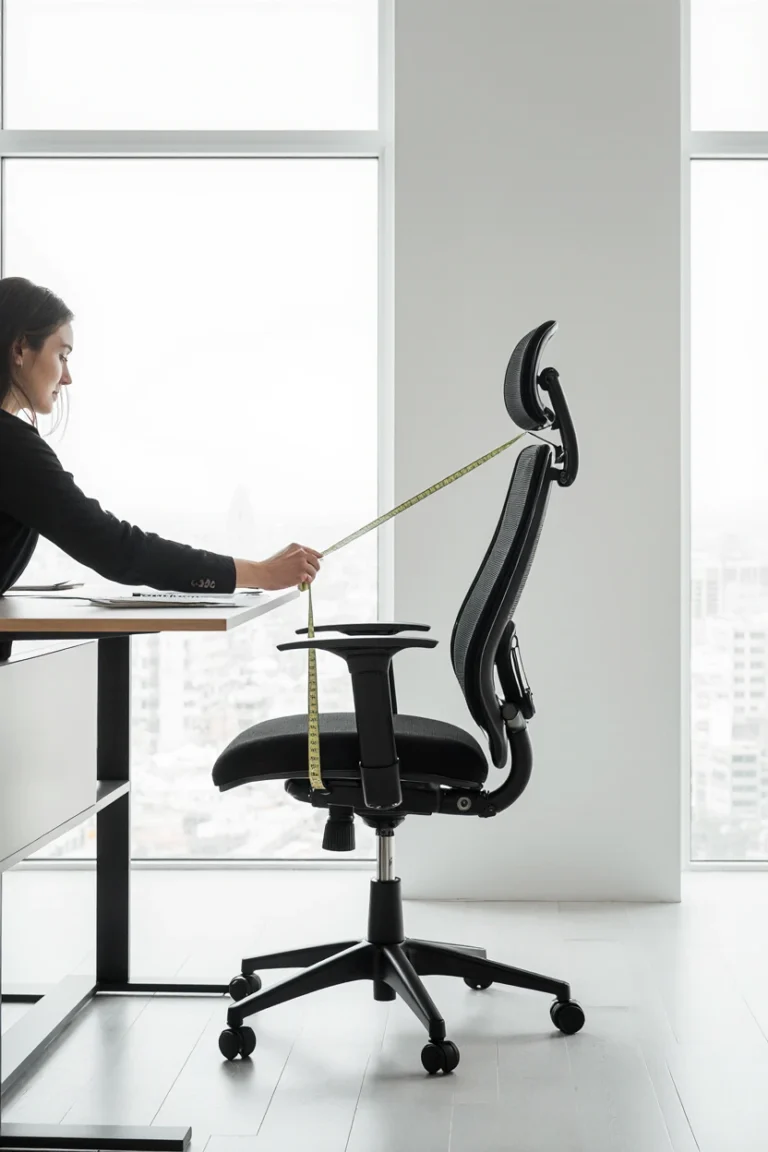
Measure twice, buy once: Standing height varies significantly between individuals, so understanding your optimal ergonomic measurements is crucial before making any purchase. Check out our guide on measuring ideal desk height for detailed instructions.
Consider your usage patterns: If you plan to alternate between sitting and standing every 30 minutes, invest in easy-adjustment solutions. If you prefer longer periods in each position, stability matters more than quick transitions.
Test before you invest: Many people start with a simple DIY solution to understand their preferences before upgrading to more sophisticated equipment.
Stack Method: The simplest approach uses books, storage boxes, or sturdy containers to elevate your monitor and keyboard. While basic, you can use empty product cartons or books lying around to convert your home office desk into a stand up desk converter. This method works particularly well for laptop users who can separate their screen from their keyboard.
Ironing Board Hack: An adjustable ironing board can serve as an instant standing desk platform. Most boards adjust between 28-36 inches, making them suitable for various heights. This DIY approach offers genuine height adjustability at virtually no cost if you already own an ironing board.
Monitor + Keyboard Separation: Place your monitor on a stack of books while using a separate wireless keyboard and mouse at desk level. This hybrid approach works well for laptop users and provides better ergonomic positioning than keeping everything at the same height.
Laptop Stands: Purpose-built laptop stands offer better ergonomics than DIY solutions. Look for models with adjustable height and tilt for optimal viewing angles. If you’re after the best budget standing desk converter, reliable options like JYLH JOYSEEKER are widely reviewed and well-balanced in every way.
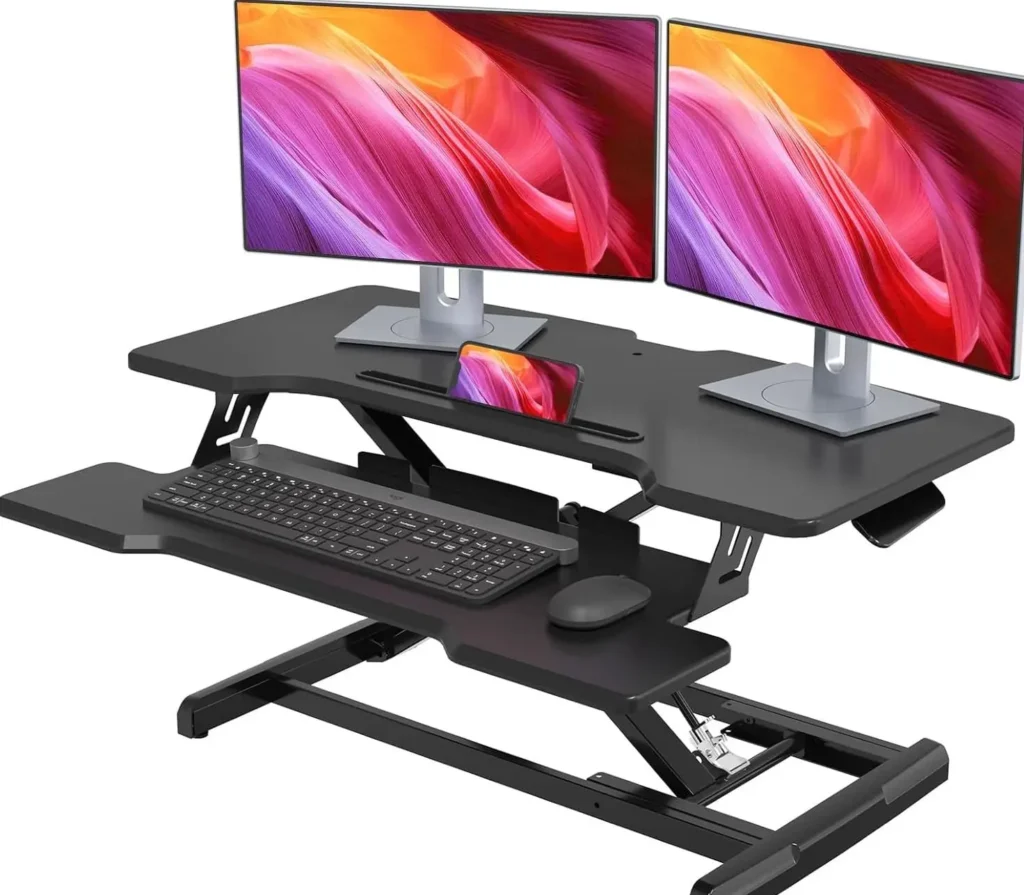
Fixed-Height Risers: These platforms lift your entire workspace to standing height. Some models are fully adjustable from 11″ to 17¾”, raising any normal desk to standing desk height for people between 5’3″ and 6’1″ tall.
Basic Desktop Converters: Entry-level converters provide separate platforms for monitors and keyboards, offering more ergonomic positioning than single-level solutions. A phenomenon in the modern office, desk risers help to aid circulation, improve posture, and reduce upper back strain.
Premium Desktop Converters: Professional-grade converters offer smooth adjustment mechanisms and superior stability. These models typically support 15-33 pounds and feature gas-spring assistance for effortless height changes.
Single-Motor Electric Desks: The FlexiSpot E7 has everything most people need from a height-adjustable desk, perfectly balancing price and performance. Single-motor options provide good value for basic standing desk functionality without the premium cost of dual-motor systems.
Frame-Only Solutions: Purchase a standing desk frame and pair it with your own desktop or an affordable tabletop from furniture stores. This approach gives you premium mechanics while controlling costs through DIY assembly.
Creating a custom standing desk converter allows you to tailor dimensions to your exact needs while keeping costs minimal. A DIY bookcase standing desk offers affordability and customization as its primary advantages, allowing you to design a workspace tailored to your needs with built-in storage for organization.
Materials Needed:
Basic Construction Steps:
Pneumatic-Assisted Converters: For those with woodworking skills, incorporating gas springs or pneumatic cylinders creates smooth height adjustment similar to commercial products. This upgrade typically adds $30-50 to material costs but significantly improves user experience.
Wall-Mounted Solutions: If you already have a sturdy desk, adding a height-adjustable wall mount can provide the standing option you need while preserving your existing workspace. This approach works particularly well in small offices or shared spaces.
When shopping for an electric budget adjustable desk, focus on these key features that provide the best value for money:
Single Motor vs. Dual Motor: A crank adjustable standing desk is the least expensive option if you want to raise and lower the desk over the course of your workday, offering substantial weight capacity that exceeds 150 pounds. Single motor desks cost less but may be slower and less stable. For basic home office use, they’re often sufficient.
Weight Capacity: Ensure the desk can handle your equipment plus some buffer. Most budget desks support 100-220 pounds, which accommodates typical setups with monitor, laptop, and accessories.
Height Range: Verify the desk accommodates both your sitting and standing heights comfortably. Most people need 28-48 inch adjustment range for optimal ergonomics.
Stability Features: Look for cross-braces, anti-collision systems, and sturdy leg construction. These features prevent wobbling and protect your equipment during adjustment.
FlexiSpot E7 Series: The FlexiSpot standing desk is right on the edge of the “affordable” limit and has been a huge home office improvement, being the most affordable option for electric standing desks. This model offers excellent stability and smooth operation within budget constraints.
Autonomous SmartDesk Models: Various configurations available under $400, with single-motor options providing good value for basic standing desk functionality. These desks often include programmable memory presets and anti-collision features.
Budget Frame + Custom Top: Purchasing a frame separately and adding your own desktop can save 20-30% compared to complete desk packages while maintaining professional functionality.
Z-Lift Converters: These provide the most stable platform by supporting weight at multiple points. Ideal for heavy monitors or dual-screen setups where stability is crucial for productivity.
X-Lift Converters: More compact when lowered but may have stability limitations with heavier loads. Best suited for single monitor setups or lighter equipment configurations.
Platform Converters: There are a lot of different brands and models of standing desk converters on the market, so you are guaranteed to get one that best suits your needs. Some converters have built-in keyboard trays, screen platforms, cable ports, USB and phone slots, and other useful features that you might expect from a regular desk.
Desk Compatibility: Ensure your existing desk can support the additional weight and that clamps (if used) fit your desk edge thickness. Most converters require 0.75-2 inch thick desk edges for proper mounting.
Cable Management: Plan for power and data cables that need to move with your converter. Built-in cable routing greatly improves the user experience and prevents tangling during height adjustments.
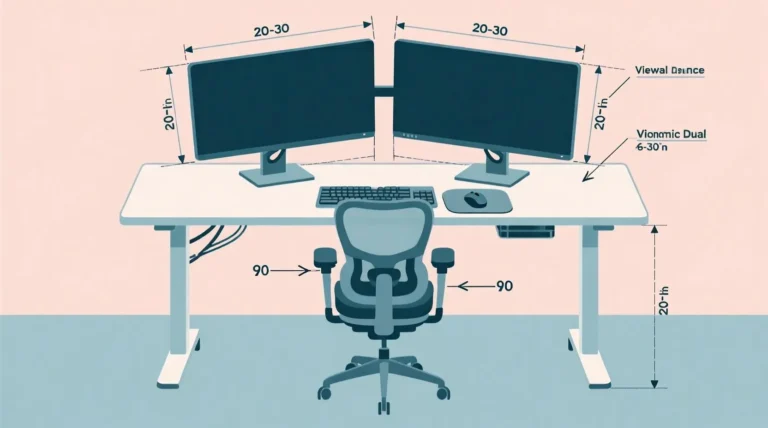
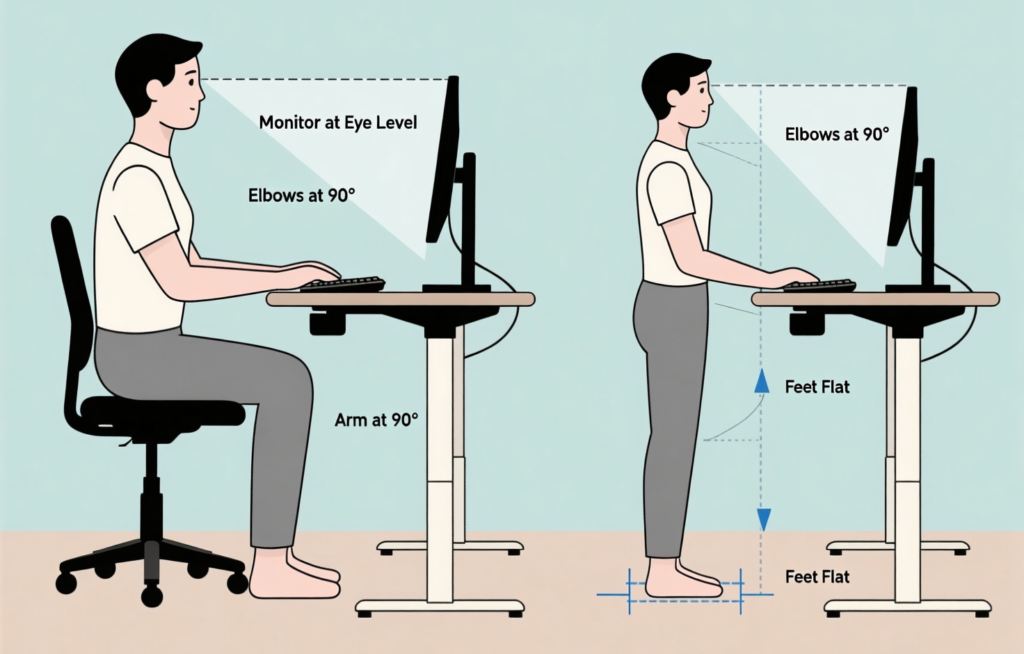
Monitor Positioning: Your screen should be at eye level when standing, typically 15-25% higher than sitting position. This prevents neck strain during extended standing periods.
Monitor Height: The top of your screen should align with your eyes or slightly below when standing naturally. This positioning reduces neck strain and maintains proper spinal alignment throughout your workday.
Keyboard Position: Your elbows should form a 90-degree angle when typing, whether sitting or standing. This neutral wrist position prevents repetitive strain injuries.
Mouse Proximity: Keep your mouse at the same level as your keyboard to prevent shoulder strain. Consider using a keyboard tray with integrated mouse space for optimal ergonomics.
Gas Spring Assistance: Makes height adjustment effortless and provides smooth, controlled movement. This feature significantly improves user experience and encourages more frequent position changes.
Memory Presets: Electric models with programmable heights eliminate guesswork for your preferred positions. Most quality converters offer 2-4 memory settings for different users or tasks.
Anti-Collision Technology: Protects your equipment and desk from damage during adjustment. This safety feature automatically stops movement when resistance is detected.
Cable Management Systems: Integrated wire management keeps your setup clean and professional while preventing cable damage during height transitions.
Standing Desk Mats: Cushioned mats reduce foot and leg fatigue during extended standing periods. Look for mats with beveled edges and varying surface textures to encourage subtle movement.
Footrests and Rails: Provide position variety and reduce static posture strain. Adjustable footrests allow you to shift weight and maintain circulation during long standing sessions.
Supportive Footwear: Consider shoes with good arch support or desk-specific footwear for extended standing periods. Proper footwear significantly impacts comfort and endurance.
Monitor Arms: Convert your desk into an ergonomic sit-stand workstation with a standing desk converter from professional manufacturers to improve your comfort and productivity. If you’re just looking to lift your laptop to eye level, a laptop stand could be a cheaper solution, but dedicated monitor arms offer superior adjustability.
Ergonomic Keyboards: Split or curved keyboards can reduce wrist strain in both sitting and standing positions. Consider our guide on mechanical keyboards for detailed recommendations.
Vertical Mice: Alternative grip styles may feel more natural when standing and can reduce forearm strain during extended use periods.
Health Investment: Standing desks have been credited with several science-backed benefits, from improved posture and reduced back pain to increased energy levels and enhanced focus. Consider the long-term costs of sedentary work-related health issues versus upfront workspace investment.
Productivity Gains: These standing desks will upgrade your office, without breaking the budget. And after a few months of massive productivity gains, be sure to ask your boss for a raise. Many users report increased energy and focus when alternating between sitting and standing.
Upgrade Path: Starting with budget solutions allows you to understand your preferences before investing in premium options. You can always upgrade components over time as needs and budget allow.
Phased Approach: Begin with basic converter and gradually add accessories as budget allows. This strategy spreads costs over time while providing immediate benefits.
Health Spending Accounts: Many HSAs and FSAs cover ergonomic equipment with proper medical documentation. Check with your provider for specific requirements and coverage limits.
Employer Reimbursement: Some companies offer workspace stipends for remote workers. Present the health and productivity benefits when requesting reimbursement for ergonomic improvements.
Supporting multiple monitors requires careful weight distribution and robust mounting solutions. When trying to decide if a DIY standing desk converter is right for you, you first need to make sure you really want a converter instead of a full-fledged standing desk. Even though converters are ergonomically better than fixed-height options, they may suffer with stability for multi-screen setups.
Cable Management: More screens mean more cables. Plan routing for power, video, and USB connections that accommodate height changes without strain or disconnection.
Individual vs. Shared Platforms: Some users prefer separate monitor arms with a shared keyboard platform for maximum adjustability and independent screen positioning.
Docking Stations: External docks allow laptop users to connect multiple monitors and peripherals while maintaining portability. This setup works excellently with standing desk converters.
Laptop + Monitor Combinations: Use laptop as secondary screen while primary monitor handles main work. This dual-screen approach maximizes productivity in both sitting and standing positions.
Closed-Laptop Setups: External keyboard, mouse, and monitor(s) with laptop in dock for desktop-like experience. This configuration provides the most ergonomic flexibility.
Regular Cleaning: Dust and debris can affect mechanical parts, especially in converters with moving components. Clean adjustment mechanisms monthly to maintain smooth operation.
Weight Distribution: Avoid overloading platforms beyond rated capacity to prevent premature wear. Distribute weight evenly across the platform surface for optimal stability.
Periodic Inspection: Check bolts, joints, and adjustment mechanisms monthly for signs of wear or loosening. Tighten hardware as needed to maintain safety and stability.
Stability Issues: If your current solution becomes wobbly or unreliable, it’s time for an upgrade. Safety should never be compromised for cost savings.
Changing Needs: Growing monitor setups or new equipment may outgrow your current converter. Plan upgrades that accommodate future expansion.
Wear and Tear: Most budget solutions last 2-5 years with regular use before requiring replacement. Factor replacement costs into long-term budget planning.
Wobbling Monitors: Often caused by insufficient desk support or converter overloading. Redistribute weight or upgrade to more robust solution. Sometimes adding cross-bracing to the desk itself resolves stability issues.
Keyboard Bounce: Usually indicates inadequate platform support. Adding bracing or switching to sturdier converter resolves most issues. Consider upgrading to a gas-spring assisted model for better stability.
Stiff Movement: Lubricate mechanical parts according to manufacturer instructions. For DIY solutions, appropriate grease on screw threads helps maintain smooth operation over time.
Height Inconsistencies: Ensure all adjustment points are properly secured and platforms remain level. Uneven adjustment can cause binding and premature wear.
The most reliable way to DIY your own standing desk is to purchase a high-quality stand up desk frame, which ensures quality and ergonomics on par with a commercial sit stand desk. This approach gives you professional results while maintaining budget consciousness.
Modular Systems: Build your setup in stages, starting with basic height adjustment and adding features like cable management, monitor arms, and accessories over time.
Space-Specific Solutions: Adapt your setup to your specific workspace constraints. Corner desks, small spaces, and shared areas all require different optimization strategies.
Q: What’s the minimum budget needed for an effective sit-stand workspace? A: You can create a functional standing workspace for $0-30 using household items like books or boxes. For a more refined budget sit stand desk solution, $50-100 gets you a decent laptop stand or simple converter with better stability and adjustability.
Q: Are budget standing desk converters stable enough for daily professional use? A: Quality varies significantly by brand and design. While budget desks may not have all the features of premium options, they accomplish the important goal of getting you out of your chair, and sitting less is what really matters. Research user reviews and weight ratings before purchasing.
Q: How often should I alternate between sitting and standing throughout the workday? A: Most ergonomic experts recommend changing positions every 30-60 minutes. Start with shorter standing intervals (15-20 minutes) and gradually increase as your body adapts to prevent fatigue and discomfort.
Q: Can I use a stand up desk converter with a corner desk or unusual workspace? A: Yes, many converters work with corner desks and non-standard surfaces, but measure carefully to ensure proper fit and stability. Some manufacturers make corner-specific models designed for L-shaped workstations.
Q: Do budget electric standing desks last as long as expensive premium models? A: Build quality varies, but many budget electric desks offer 2-5 years of reliable service with normal use. A converter that allows easy switching between sitting and standing can be a spine’s best friend, reducing fatigue associated with prolonged sitting or standing. Match your budget to expected usage patterns and upgrade timeline.
Creating an effective sit-stand workspace doesn’t require a massive budget or complete office overhaul. Whether you’re starting with a simple DIY solution using items around your home or investing in a quality electric desk under $400, the key is taking action to reduce prolonged sitting time and improve your daily work experience.
The health benefits of alternating between sitting and standing positions are well-documented, and the productivity gains often justify the investment within months. Remember that the best budget sit stand desk solution is one you’ll actually use consistently – sometimes a simple $50 converter that encourages regular movement beats an expensive desk that stays in sitting position all day.
As someone who has tested countless budget solutions while building MadaraDigital.com, I can confidently say that starting with your specific needs, workspace constraints, and budget reality is the path to success. You can always upgrade components over time as your requirements evolve or your budget allows. The most important step is making the transition from static sitting to dynamic working – your body, productivity, and long-term health will thank you for making this change.
Don’t let perfectionism prevent you from starting. Even a basic DIY solution using books and boxes is infinitely better than remaining sedentary all day. Begin where you are, use what you have, and improve as you learn more about your preferences and needs.
Ready to transform your workspace without breaking the bank? Start with one of the budget solutions outlined in this guide and experience the difference that regular position changes can make in your daily work routine.
Looking to complete your ergonomic workspace? Check out our guides on ergonomic workstation setups, cable management organization, and desk accessories essentials for comprehensive setup optimization