Physical Address
304 North Cardinal St.
Dorchester Center, MA 02124
Physical Address
304 North Cardinal St.
Dorchester Center, MA 02124

Find Gear. Build Dreams. Game On.
Find Gear. Build Dreams. Game On.
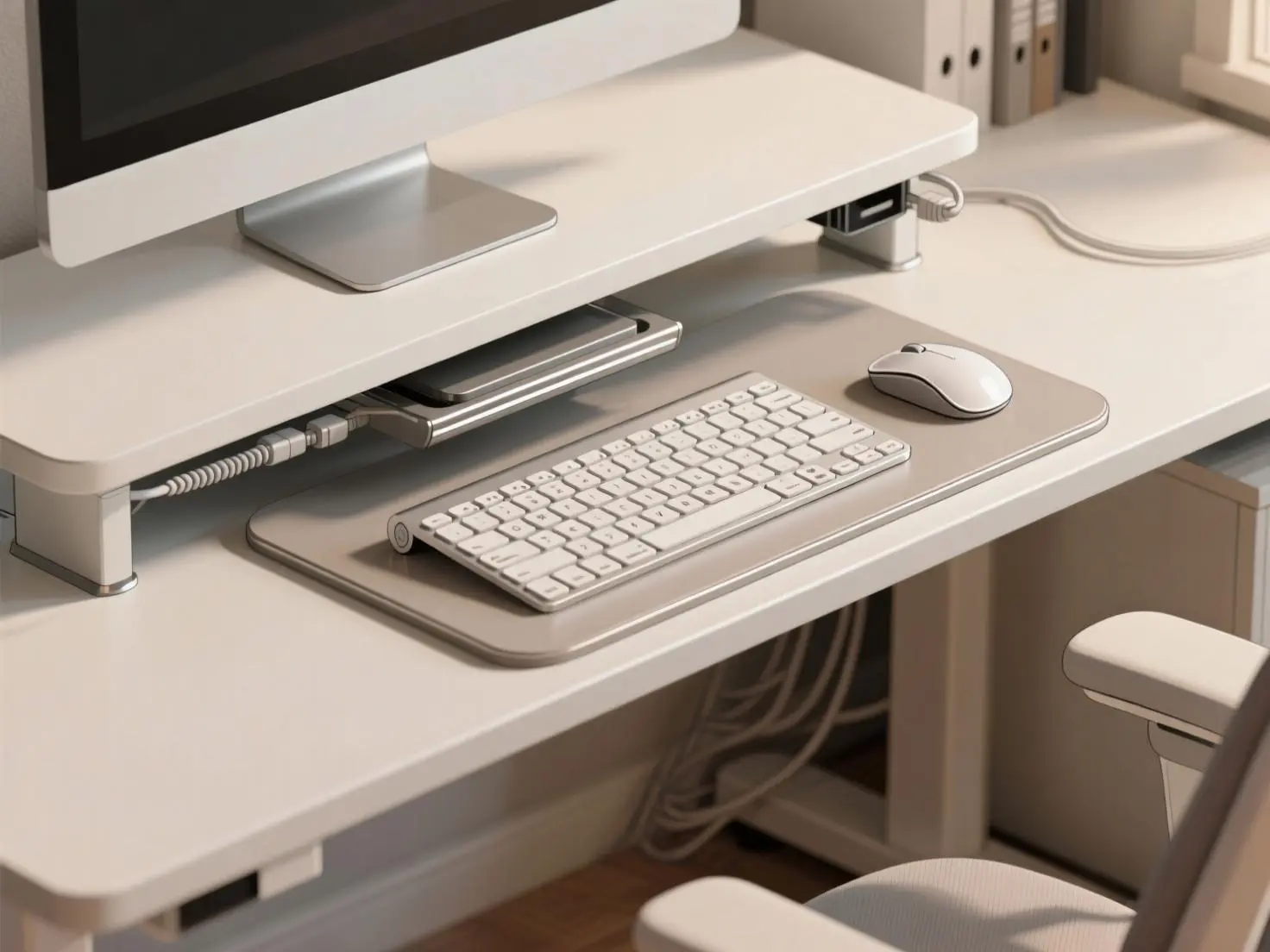
An under-desk keyboard tray is an adjustable platform that mounts beneath your desk to position your keyboard at optimal ergonomic height and angle. Key benefits include reduced wrist strain, improved posture, space savings, and customizable positioning for better typing comfort and productivity.
Hey there! I’m Ayoub, and as someone who spends countless hours at desk setups reviewing ergonomic solutions, I’ve tested dozens of keyboard trays over the years. Whether you’re setting up a home office or upgrading your gaming battlestation, finding the right under-desk keyboard tray can be a game-changer for your comfort and productivity.
Before starting, we’ve got some other related articles about home office setups. Take a look:
In this comprehensive guide, I’ll walk you through everything you need to know about choosing the perfect ergonomic keyboard tray for your workspace. From understanding the health benefits to selecting the right mounting system, we’ll cover all the essentials to help you make an informed decision.
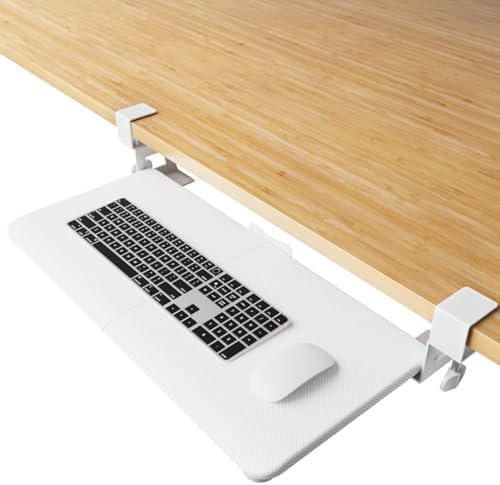
An under-desk keyboard tray is an ergonomic accessory that creates a dedicated platform for your keyboard and mouse beneath your desktop surface. These trays attach to your desk, allowing you to type with a more neutral wrist position while freeing up valuable desk space above.
Think of it as your keyboard’s elevator system. Instead of having your keyboard sitting on top of your desk at a fixed height, a keyboard tray gives you the flexibility to adjust both height and angle to match your body’s natural positioning. This simple addition can transform an uncomfortable workstation into an ergonomic powerhouse.
Modern keyboard trays come in various configurations, from simple sliding platforms to sophisticated multi-adjustment systems. Some feature dedicated mouse platforms, while others include padding for wrist support. The key is finding one that matches your specific workspace needs and typing habits.
For those exploring complete workspace solutions, check out our guide on standing desk setups to see how keyboard trays integrate with height-adjustable desks.
According to the CDC’s Musculoskeletal Health Program, ergonomic interventions can significantly reduce discomfort and injury in the workplace. Keyboard trays address one of the most common workplace health issues: repetitive strain injuries RSI affecting the wrists, arms, and shoulders.
When your keyboard sits too high on your desk surface, your wrists bend upward in an unnatural position called extension. This position compresses the median nerve in your wrist, potentially leading to carpal tunnel syndrome. A well-designed keyboard tray offers protection from carpal tunnel syndrome, neck and back pain, and other musculoskeletal issues.
Poor keyboard positioning doesn’t just affect your wrists—it impacts your entire posture chain. When you’re reaching up to type on a keyboard that’s too high, you unconsciously lift your shoulders and lean forward. This creates a cascade of postural problems:
A properly positioned keyboard tray allows your arms to hang naturally at your sides with your elbows at approximately 90 degrees. This neutral positioning promotes better spinal alignment and reduces the muscular effort required to maintain good posture throughout long work sessions.
Beyond health benefits, ergonomic keyboard positioning can boost your work performance. Keyboard tray users report everything from faster typing speeds to fewer breaks for hand cramps. When you’re not constantly adjusting your position or dealing with discomfort, you can maintain focus on your tasks longer.
Many users also report improved accuracy when typing at their optimal ergonomic position. The natural wrist angle and reduced strain allow for more precise finger movements and less fatigue during extended typing sessions.
Fixed-height trays are the simplest and most budget-friendly option. They mount at a predetermined distance below your desk surface and typically offer basic sliding functionality to store the keyboard out of the way when not in use.
Pros:
Cons:
Best for: Budget-conscious users with consistent workspace needs who primarily want space-saving benefits.
Height-adjustable trays offer vertical positioning control, allowing you to find your perfect typing height. Most feature a gas cylinder or manual adjustment mechanism to raise and lower the platform.
Pros:
Cons:
Best for: Shared workspaces or users who frequently adjust their seating position. Essential if you have a dual monitor desk setup with varying viewing angles.
Articulating systems are the premium option, offering adjustment in multiple dimensions: height, tilt, swivel, and sometimes lateral movement. The articulating platform accommodates the needs of multiple people because the tray height is not fixed.
Pros:
Cons:
Best for: Professional environments, users with specific ergonomic needs, or those seeking the ultimate in keyboard positioning control.
Clamp-On Systems: These attach to your desk edge using adjustable clamps, making them perfect for temporary setups or rental situations. Clamp-on trays attach temporarily using a clamp—great for rental setups or adjustable desks.
Under-Mount Systems: These require permanent installation with screws into the desk surface. Under-desk trays mount permanently beneath your desktop, offering more stability and weight capacity.
For those interested in cable management alongside their keyboard tray setup, our cable management organization guide provides excellent complementary tips.
Before purchasing any keyboard tray, measure both your keyboard and available under-desk space. Common keyboards are around 18″ wide, with “ergonomic” or larger keyboards requiring even more space.
Standard Measurements:
Don’t forget to account for mouse space if you prefer an integrated solution. Most combination trays measure 24-28″ wide to accommodate both keyboard and mouse comfortably.
Quality keyboard trays should support at least 10-15 pounds to handle even heavy mechanical keyboards, plus mouse and wrist rests. Commercial-grade under-desk keyboard trays are built using steel and compact board (no cheap plastic!).
Look for:
The adjustment range determines how well the tray will fit your specific ergonomic needs. Key specifications include:
Height Range: Look for at least 4-6″ of vertical adjustment to accommodate different users and seating positions.
Tilt Range: Adjustable keyboard trays provide height and tilt adjustment to perfectly position keyboards at elbow height and allow you to type with a neutral or negative wrist tilt. Negative tilt (10-15° downward) is particularly important for proper wrist positioning.
Swivel Range: Some trays offer lateral swiveling to angle the keyboard toward your dominant hand or accommodate corner desk installations.
Dedicated mouse platforms offer several advantages over using your main desk surface:
The swivel or tilting mouse tray allows you to adjust the plane of the mouse independent of the keyboard, which can be particularly beneficial for users with specific hand positioning preferences.
Not all keyboard trays work with every desk type. Here’s what you need to evaluate:
Desk Thickness: You will need about a 1″ thick surface for the mounting screws (3/4″ long) for most under-mount systems. Thinner desks may require clamp-on solutions.
Available Space: At least 6″ of width and a minimum depth of 11″ to accommodate a track is typically required for proper installation.
Material Considerations: Most keyboard trays fit standard wood or MDF desks. For glass or metal desks, choose a clamp-on solution to avoid drilling.
Under-Mount Installation:
Clamp-On Installation:
For detailed workspace setup guidance, including proper positioning relative to monitors, check our guide on measuring ideal desk height.
One of the most immediate benefits of installing an under-desk keyboard tray is the liberation of valuable desktop space. Maximize your workspace by keeping your keyboard neatly stored away when not in use.
This recovered space can be repurposed for:
A retractable keyboard drawer allows the user to pull out the keyboard when in use and then push it under the desk when not in use. This allows for better space management and a cleaner look.
Modern sliding mechanisms are engineered for smooth, quiet operation even after thousands of cycles. Ball-bearing tracks provide the smoothest action, while plastic runners offer budget-friendly functionality for lighter use.
For those working on minimalist desk setups, the clean lines achieved by hiding the keyboard create a more focused, distraction-free work environment.
In home offices that serve multiple purposes, keyboard trays enable quick transitions between different activities. The desk surface can easily transform from a typing station to a crafting area, dining space, or homework zone simply by sliding the keyboard out of the way.
The Humanscale 6G represents the gold standard in professional keyboard tray systems. Humanscale’s under-desk keyboard trays come in many different configurations, including left/right customisation, to support any user’s needs.
Key Features:
Best for: Professional environments and users seeking maximum adjustability and durability.
For users seeking basic functionality without breaking the bank, Mount-It!’s sliding tray offers solid performance at an affordable price point.
Key Features:
Best for: Students, remote workers, and anyone needing basic space-saving functionality.
With a 360-degree swivel and 15-degree tilt, this slide-out keyboard tray keeps wrist strain at bay, making it ideal for extended gaming sessions.
Key Features:
Best for: Gamers and users with large mechanical keyboards who need maximum platform space.
For complete gaming setup integration, explore our comprehensive gaming desk setups guide.
Perfect for smaller desks or temporary installations, the NearHub KD10 offers ergonomic benefits in a compact package.
Key Features:
Best for: Small desk setups, frequent movers, or users with limited under-desk clearance.
Many users install their keyboard tray too high, negating the ergonomic benefits. The platform should position your keyboard so your elbows naturally fall at approximately 90 degrees when your upper arms hang relaxed at your sides.
Some trays need more space under a desk than advertised, resulting in the tray poking out proud of the user edge of the desk when fully retracted. Always verify clearance measurements before drilling mounting holes.
Keyboard and mouse cables can interfere with sliding mechanisms if not properly routed. Plan cable paths during installation and consider using our cable management solutions for a clean setup.
Excessive force when tightening mounting screws can crack desk surfaces or strip threads. Use moderate pressure and check manufacturer torque specifications if provided.
Keyboard trays accumulate dust, crumbs, and debris over time. Monthly cleaning helps maintain smooth operation:
Most quality keyboard trays require minimal maintenance, but periodic lubrication of moving parts ensures smooth operation. Use manufacturer-recommended lubricants—typically light machine oil or white lithium grease for metal tracks.
Sticky or Rough Sliding:
Platform Sagging:
Adjustment Mechanisms Not Holding Position:
Standing desks present unique challenges for keyboard tray integration. As the desktop surface moves up and down, the keyboard tray’s relationship to the floor changes, potentially affecting ergonomics.
Some keyboard tray manufacturers offer specialized mounting systems designed for height-adjustable desks. These systems maintain proper ergonomic relationships regardless of desk height position.
For comprehensive standing desk setup guidance, including keyboard positioning, visit our standing desk setups resource.
If traditional keyboard trays aren’t compatible with your standing desk, consider:
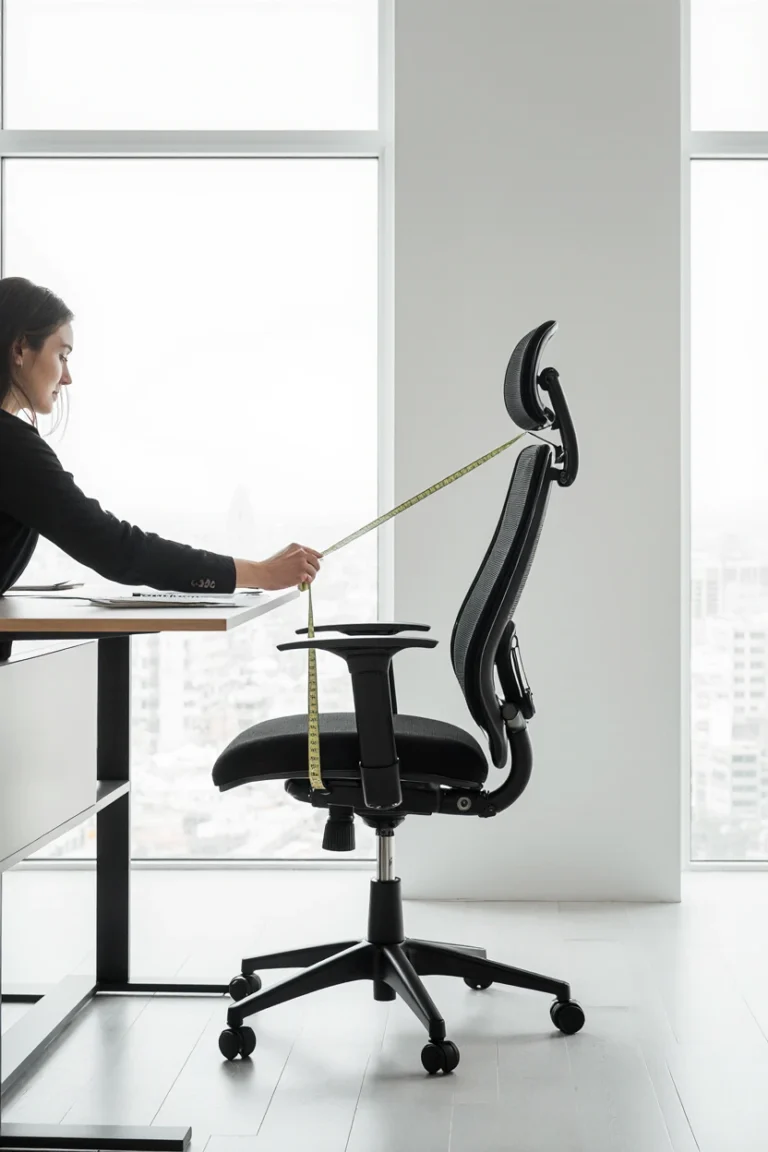
Your keyboard tray’s effectiveness depends heavily on proper chair setup. The tray should position your keyboard at a height that allows your elbows to remain at 90 degrees when your chair is adjusted for proper monitor viewing.
This coordination often requires:
For detailed chair selection guidance that complements keyboard tray usage, explore our top ergonomic chairs 2026 review.
In shared workspaces, keyboard tray adjustability becomes even more critical. Look for systems that offer:
Quality keyboard trays represent a significant upfront investment but offer substantial long-term value through:
Health Cost Savings:
Productivity Benefits:
Workspace Efficiency:
Entry Level ($25-75):
Mid-Range ($75-200):
Premium ($200-400+):
For budget-conscious users exploring complete workspace upgrades, our budget-friendly desk setups guide offers additional cost-effective solutions.
Yes, keyboard trays can significantly benefit gaming setups by providing optimal wrist positioning during extended play sessions. Gaming-specific trays offer 360-degree swivel and adjustable tilt to maintain comfort during different gaming positions. The space-saving aspect also allows more room for larger mouse pads and additional gaming peripherals on the main desk surface.
Glass desks require special considerations for keyboard tray installation. For glass or metal desks, choose a clamp-on solution rather than drilling mounting holes. Look for clamp systems with protective padding to prevent glass damage and ensure the clamp distributes weight evenly across the glass edge.
The ideal height positions your keyboard so your elbows naturally rest at approximately 90 degrees when your upper arms hang relaxed at your sides. Keyboard trays should position keyboards at elbow height and allow neutral or negative wrist tilt. This typically places the keyboard 1-3 inches below standard desk height, depending on your body proportions and chair setup.
Most quality keyboard trays accommodate mechanical keyboards, but weight capacity and platform size become more important factors. Mechanical keyboards typically weigh 2-5 pounds compared to 1-2 pounds for membrane keyboards. Look for trays rated for at least 15-20 pounds total capacity and ensure the platform dimensions accommodate your specific mechanical keyboard layout.
Regular maintenance keeps sliding mechanisms operating smoothly. Monthly cleaning of track channels removes debris that causes sticking. Apply manufacturer-recommended lubricant to metal tracks annually or as needed. Avoid over-lubricating, which can attract more dirt. Check mounting hardware periodically for looseness that might affect sliding alignment.
Choosing the right under-desk keyboard tray transforms your workspace from a source of potential discomfort into an ergonomic haven that supports both your health and productivity. Throughout this guide, we’ve explored the science behind ergonomic benefits, compared different tray types, and provided practical installation guidance to help you make an informed decision.
The key to success lies in understanding your specific needs: workspace dimensions, usage patterns, budget constraints, and ergonomic requirements. Whether you’re a remote worker seeking basic space savings, a content creator requiring maximum adjustability, or a gamer needing extended comfort during long sessions, there’s a keyboard tray solution that fits your situation.
Remember that ergonomic improvements work best as part of a comprehensive workspace strategy. Consider how your keyboard tray selection integrates with your chair height, monitor positioning, and overall desk organization. For those planning complete workspace overhauls, explore our related guides on monitor arm installation and desk accessories essentials to create a cohesive, ergonomic environment.
The investment in a quality keyboard tray pays dividends through improved comfort, enhanced productivity, and better long-term health outcomes. Take the time to measure carefully, choose appropriate features for your needs, and install properly for the best results.
Your wrists, shoulders, and productivity levels will thank you for making this important ergonomic upgrade to your workspace.
What’s your biggest challenge with your current keyboard setup? Have you noticed any discomfort during long typing sessions that might benefit from better positioning?
Share your experiences in the comments below, and let’s help each other create more comfortable, productive workspaces. Don’t forget to share this guide with colleagues who might benefit from better ergonomic solutions—together, we can make every workspace healthier and more efficient!